 Österreich
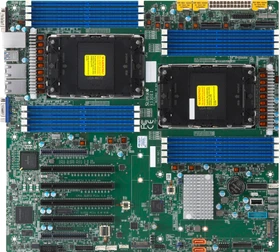
Supermicro X13DEI, bulk (Intel 4677)
MBD-X13DEI-B
ab
€ 349,00



 amd.com: Sockel AM4 X570 Mainboards
hardwareluxx.de: AMD 3rd Gen AM4 Mainboards & VRM Liste (X570, PRO565, B550, A520)
igorslab.de: Wer es gern bunt treibt: der ultimative RGB-Guide für alle, die nach einer Erleuchtung suchen
pcgameshardware.de: AMD Ryzen 1000 auf X570: Wie gut geht Zen 1 auf modernen Platinen?
pcgameshardware.de: [PLUS] OC-Vergleich: Welches AM4-Mainboard für Ryzen 2000 / Ryzen 3000?
hardwareluxx.de: AMD 3rd Gen AM4 Mainboards & VRM Liste (X570, P560, B550, A520, A420)
computerbase.de: RGB-LED-Plattformen im Test: Aura, RGB Fusion, Mystic Light und iCUE im Vergleich
amd.com: Sockel AM4 X570 Mainboards
hardwareluxx.de: AMD 3rd Gen AM4 Mainboards & VRM Liste (X570, PRO565, B550, A520)
igorslab.de: Wer es gern bunt treibt: der ultimative RGB-Guide für alle, die nach einer Erleuchtung suchen
pcgameshardware.de: AMD Ryzen 1000 auf X570: Wie gut geht Zen 1 auf modernen Platinen?
pcgameshardware.de: [PLUS] OC-Vergleich: Welches AM4-Mainboard für Ryzen 2000 / Ryzen 3000?
hardwareluxx.de: AMD 3rd Gen AM4 Mainboards & VRM Liste (X570, P560, B550, A520, A420)
computerbase.de: RGB-LED-Plattformen im Test: Aura, RGB Fusion, Mystic Light und iCUE im Vergleich
 gigabyte.com: The BIOS of GIGABYTE Motherboards Features TPM 2.0 Function to Support Windows 11 Upgrade
amd.com: Socket AM4 X570 Motherboards
docs.google.com: VRM: X570/X470/X370/B550/B450/B350/A520/A320 Motherboards
wi-fi.org: Wi-Fi Alliance - Wi-Fi (MAC/PHY) technologies
gigabyte.com: The BIOS of GIGABYTE Motherboards Features TPM 2.0 Function to Support Windows 11 Upgrade
amd.com: Socket AM4 X570 Motherboards
docs.google.com: VRM: X570/X470/X370/B550/B450/B350/A520/A320 Motherboards
wi-fi.org: Wi-Fi Alliance - Wi-Fi (MAC/PHY) technologies
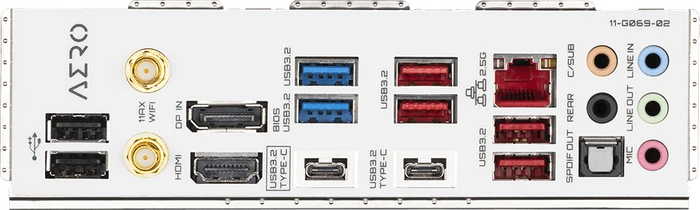
Four M.2 slots 10 USB ports (including USB 3.2 Gen2x2)
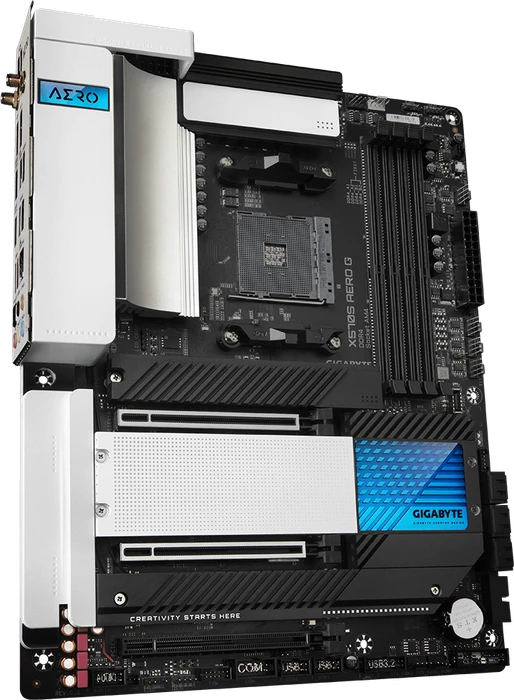
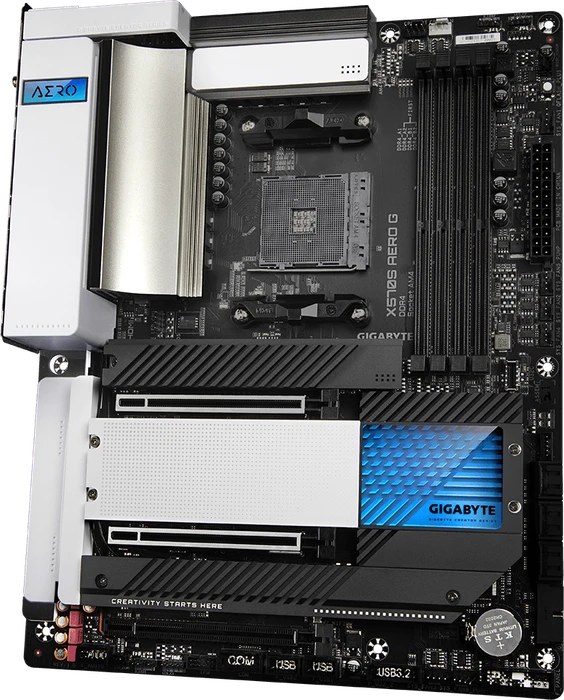
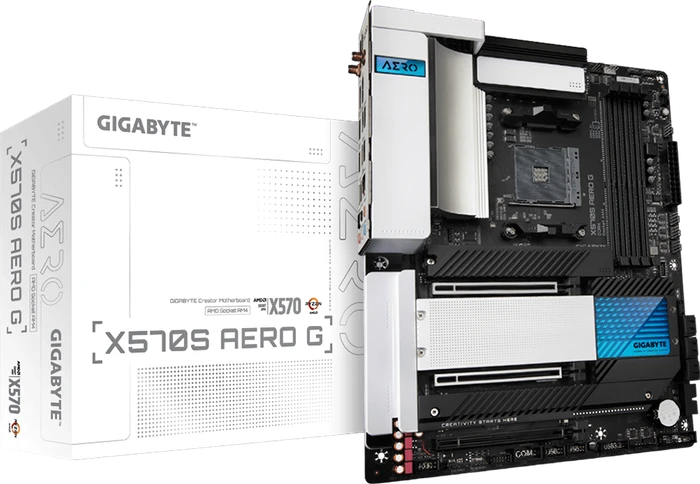
Im letzten Mainboard-Test warfen wir unsere Blicke auf das Gigabyte X570S AORUS Master mit passiver X570-Kühlung. Aus dem gleichen Hause entstammt auch das X570S AERO G für Content Creator, das wir in diesem Test durchleuchten möchten.

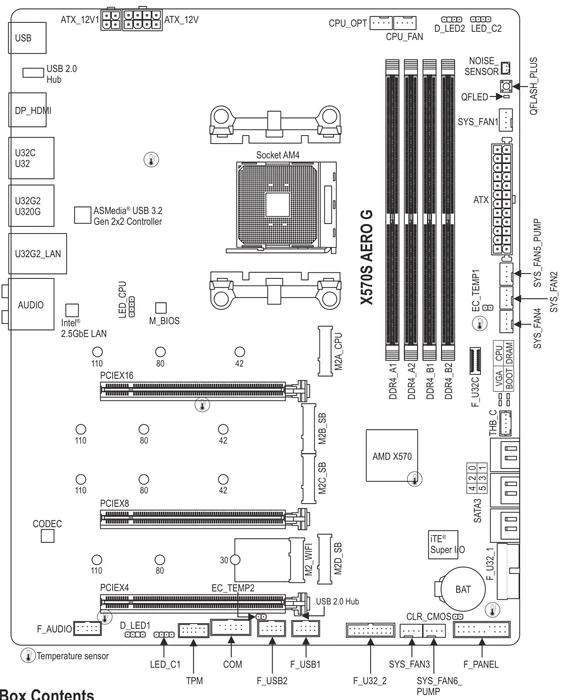
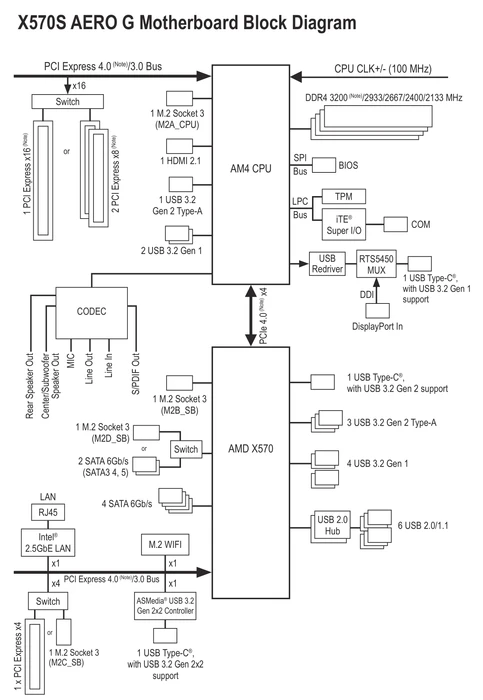
Now that we have run through the benchmarks and given the motherboard an up-close inspection, it is time to wrap up this review by compiling everything into a few talking points. As always, we start with what Gigabyte could improve upon to better suite the targeted market. Afterwards we will move onto some problems all users will face with any AM4 socket (X570) motherboard to keep expectations grounded. After all of that, there will some closing thoughts to finish up this review. In terms of improvements to the user experience, there isn't much more Gigabyte could have done for the targeted audience. This is a motherboard that is marketed towards the those who are all about the "work before play" mentality. In many ways, besides different aesthetics, it is quite similar to the X570S AORUS PRO AX in terms of feature set, components used and overall layout. For gamers, having less higher speed USB ports is not that big of an issue for a majority of these types of users. Now, depending on the type of content creator you are, extra USB ports could be useful to have. Same goes with the Ethernet port. 2.5 GbE LAN is fine for gamers, but 10 GbE LAN may be something worth considering if you need that network bandwidth for large projects. Both of these concerns can be solved with a PCIe add-on card, but that also comes with its own set of restrictions due to the limited number of available PCIe lanes. Which brings us to keeping expectations grounded. This motherboard does not have the ability to defy logic by allowing multiple high bandwidth devices and add-on cards to function at the same time without penalties. If you are already deep into the tech scene, you will know that is of course impossible to have everything as AMD Ryzen CPUs only have a certain number of PCIe lanes available at any given time. For example, If you want to use all four M.2 sockets, be prepared to lose other connection points. This ultimately results in some SATA ports and a PCIe slot becoming disabled as bandwidth is allocated elsewhere in certain configurations. It isn't an exclusively Gigabyte-specific problem either. This is simply what the current AM4 platform can offer. Be prepared to give up a M.2 SSD, if you want to use all the PCIe slots to install more USB, video capature or thunderbolt via add-on cards. What Gigabyte does offer for the X570S AERO G motherboard is a well rounded product geared towards the workforce. It has four Gen 4 M.2 sockets, and six 6 Gb/s SATA ports for internal storage. This is accompanied by 10 Gbps and 20 Gbps USB ports for external devices. These ports can be used for an external hard-drive, video capture device, flash card readers, USB-DAC and so much more. However, all that does not matter if the system isn't stable due to some capability issue and that is where Gigabyte excels at here. The memory QVL list is extensive, which is great for those who are looking for maximum capability when using needing large amounts of system memory like 64 GB or even 128 GB. Not only is the memory QVL list great, but the VRM cooling solution implemented here is perfect for what it is designed for. It provides enough cooling capabilities for long intense work sessions. This can seen in the VRM stress test where a overclocked 3900X puts the VRM through a unrealistic power draw. This ends up being more stressful than a Ryzen 9 5950X in a stock configuration. That says a lot and basically guarantees any AMD processor that works with this motherboard will have no problems under strenuous conditions. To be clear, that statement is for any CPU that is not overclocked. This statement clarification might seem a bit silly, but some motherboards cannot even handle every CPU in a stock configuration, let along any overclocks applied. It is important to understand just because it is officially supported by the chipset, does not mean it should be considered a valid option. Often what will happen is when a motherboards VRM isn't up to the task, during times of high power draw, a system that isn't up to the task will just restart or shutdown with safeties in place to prevent damage of components. Hence why the needs to clarify the capabilities of this motherboard. To be clear on the subject, the AERO G will have no problems handling with any stock CPU, but overclocking the highest-tier CPUs, may have unexpected results as it could not be tested. It also isn't advised to perform a system overclock for a work computer in any case. Gigabyte is marketing this X570S AERO G motherboard to content creators. Which is a broad title, but also is for a niche community. If you are a system builder or system integrator, it is important to understand what your client wants to accomplish. Simple questions related to what software is being used, percentage system of up time required, data storage and overall performance expectations of said system helps in the process. Someone at the office will inevitably stumble across this review as they search for the perfect solution for their client specific needs. Maybe you are tech savvy enough to save money and go the DIY approach yourself. In either case, this motherboard from Gigabyte understands who this product is for and provides an affordable solution. Could Gigabyte have added faster connectivity options with Thunderbolt 4 and 10 GbE LAN? Yes, but that increases the cost which will eventually lead to the overall system cost reaching a critical point where switching over to the AMD Threadripper platform becomes the more practical solution. What Gigabyte does provide is a solid mid-range motherboard that is catered towards the workforce. The Gigabyte X570S AERO G is worth considering, but understanding the AM4 socket limitations is equally important as well. With that said, I still recommend putting this on your short list of potential motherboard candidates for that next workstation.

Alle Angaben ohne Gewähr. Die gelisteten Angebote sind keine verbindlichen Werbeaussagen der Anbieter.
* Preise in Euro inkl. MwSt. zzgl. Versandkosten. Bei der Auswahl von "inkl. Versand" beinhaltet der dargestellte Preis die Kosten für den Versand. Die nicht angeführten Kosten in andere Länder entnimm bitte der Website des Händlers. Bei Sortierung nach einer anderen als der Landeswährung des Händlers basiert die Währungsumrechnung auf einem von uns ermittelten Tageskurs, der womöglich nicht mit dem im Shop angegebenen Preis exakt übereinstimmt. Bitte bedenke außerdem, dass die angeführten Preise periodisch erzeugte Momentaufnahmen darstellen und technisch bedingt teilweise veraltet sein können. Insbesondere sind Preiserhöhungen zwischen dem Zeitpunkt der Preisübernahme durch uns und dem späteren Besuch dieser Website möglich. Händler haben keine Möglichkeit die Darstellung der Preise direkt zu beeinflussen und sofortige Änderungen auf unserer Seite zu veranlassen. Der maßgebliche Preis für den Verkauf durch den Händler ist der tatsächliche Preis des Produkts, der zum Zeitpunkt des Kaufs auf der Website des Händlers steht.